

Hevy vs Strong: Choosing a Workout Log for Progressive Overload

Daniel Okafor
November 12, 2026
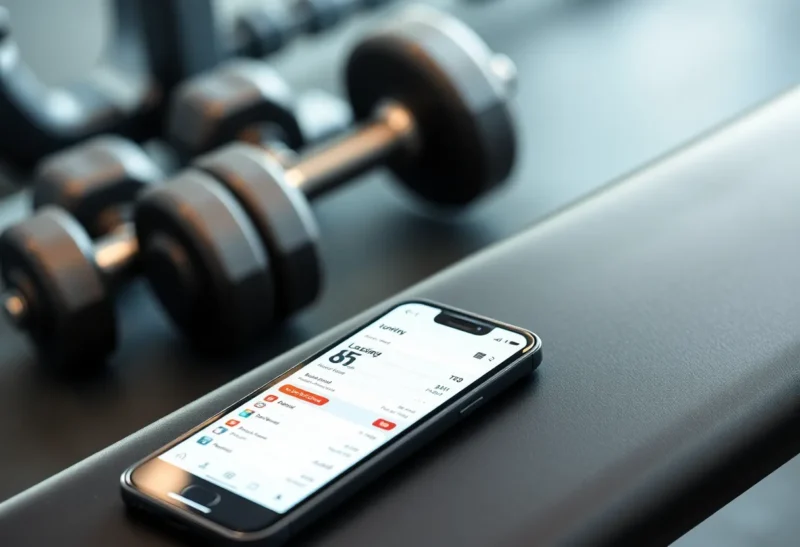
Progressive overload only works if you know what you lifted last time. A paper notebook does the job, but a good workout app does more: it pre-fills last session’s numbers, runs your rest timer, tracks personal records and turns months of sessions into charts. Hevy and Strong are two of the most popular apps for this, and they share a lot. The differences are in pricing, social features, platforms and how much the app tries to do beyond logging.
App features and plan limits change frequently, so treat this as a guide to what to look for and confirm current details in each app store.
Strong: a fast, focused logbook
Strong has been around since the early days of lifting apps and has a reputation for doing one thing very well: logging sets quickly. You build routines, start a workout, and the app shows your previous numbers next to each set. Tap to complete a set and the rest timer starts.
Things lifters tend to like about Strong:
- A clean, minimal interface with very few taps per set.
- Useful extras such as a plate calculator, warm-up set calculator and estimated one-rep max.
- Charts for each exercise and records for different rep counts.
- An Apple Watch app for logging from the wrist.
- Data export to CSV.
Strong uses a freemium model: the free version limits some features, such as the number of custom routines, and a paid Pro subscription or one-time purchase option unlocks the rest. Check the current limits, because they decide whether the free version is enough for you.
Hevy: logging plus a social layer
Hevy covers the same core features: routines, previous numbers, rest timers, records and charts. It adds a social feed where you can follow friends, see their workouts and comment, along with a large exercise library with animations and a web app for planning routines on a computer.
Things lifters tend to like about Hevy:
- A generous free tier that many people use long term.
- Apps for iPhone and Android, plus Apple Watch and Wear OS support.
- Routine folders and the ability to browse and copy other people’s routines.
- A web interface for editing routines and viewing stats.
- Import from other apps, including Strong’s CSV export, and export of your own data.
Hevy Pro removes the free tier’s caps and adds more detailed analytics. The social side is optional; you can keep your profile private and use it purely as a logbook.
Logging speed in the middle of a set
Both apps are quick. Each pre-fills the weight and reps from your last session so that a typical set is a single tap if you matched last time, or a quick edit if you did more. Both support supersets, warm-up sets, drop sets and notes per exercise.
Strong’s interface is a little sparser, which some lifters prefer when they are tired between sets. Hevy shows more on screen, such as exercise animations and history, which helps beginners but can feel busier. If you can, try logging a full session in each before you commit.
Tracking progressive overload over months
This is the part that matters for long-term progress. Both apps let you see, for each exercise:
- Best set and estimated one-rep max over time.
- Total volume (sets × reps × weight) per session.
- Records for different rep counts.
For a plan like our three-day beginner program, which uses double progression, the key screen is simply “what did I do last time for this exercise?” Both apps show it in the workout view. Hevy’s paid tier adds more charts by muscle group and body part, which helps if you track weekly sets per muscle. Strong’s charts are simpler but cover the basics.
Neither app writes your program for you in the way a coaching app does. You bring the plan, the app keeps score.
Platforms, watches and integrations
- Phones: both on iOS and Android.
- Watches: Strong has a well-regarded Apple Watch app. Hevy supports Apple Watch and Wear OS.
- Health platforms: both can write workouts to Apple Health. Check Google Health Connect and other integrations for your device.
- Web: Hevy has a web app for planning. Strong is phone-first.
If you also wear a recovery tracker, logging lifts in an app and syncing to Apple Health or another platform lets the tracker see your training, though most trackers still estimate strength training load from heart rate. Our Whoop vs Oura comparison covers how they handle lifting.
Setting up a routine so the app actually helps
Whichever app you choose, a few setup habits make logging faster and your data more useful:
- Use the same exercise every time. “Bench press (barbell)” and “Flat bench” logged separately split your history in two. Pick one name and stick with it.
- Add rep-range notes. Both apps let you add notes to an exercise in a routine. Write the target, such as “3 × 6–8, add weight at 8s”, so you see the rule in the moment.
- Set rest timers per exercise. Longer for heavy compound lifts, shorter for accessories.
- Mark warm-up sets as warm-ups. Otherwise they drag down your volume figures and estimated maxes.
- Log bodyweight now and then. Useful context for bodyweight exercises and long-term trends.
If you want an app to write the program for you
Strong and Hevy are logbooks first. They will happily store a program you have chosen, but they will not decide what weight to use next week or adjust your training when you miss sessions. A separate category of apps does that: you enter your goals, schedule and equipment, and the app generates workouts and progresses them automatically, often with a subscription. They suit people who do not want to think about programming at all.
The trade-off is control and transparency. With a logbook you know exactly why the weight went up. With an automated coach, the logic is hidden, and switching away later can mean losing the structure you relied on. Many lifters start with a simple published program, such as the three-day full-body plan, logged in a basic app, and only look at automated coaching once they know what they like.
When a notebook or spreadsheet is better
Apps are not the only option. A paper notebook never needs charging, does not distract you with notifications, and makes it easy to scribble notes about how a set felt. A spreadsheet gives complete control over calculations, which some people prefer for complex programs with percentages of a training max. Many lifters use an app in the gym and export to a spreadsheet for deeper review every few months.
Privacy and account settings
Both apps store your training data in the cloud so it syncs between devices. If you use Hevy’s social features, check who can see your workouts and profile, and switch the profile to private if you only want a logbook. In either app, look at the privacy policy and the options for deleting your account and data, as you would with any service that holds health-related information.
Your data if you switch later
Training history is valuable. Before you commit to any app, check how to get your data out. Both Strong and Hevy offer a CSV export, and Hevy can import from Strong, which makes moving in that direction easy. Export your data every few months as a backup either way.
Cost over a year of training
Pricing changes, so check current offers, but the shape is usually this: both apps have a free tier, both sell a subscription, and Strong has historically also offered a one-time lifetime purchase. For someone who trains for years, a lifetime option can work out cheaper than a subscription. For someone trying lifting for the first time, a free tier is the obvious place to start. Before paying, write down which limits you actually hit in the free version. If the answer is “none”, there is no need to upgrade.
Which app suits which lifter
Strong suits you if you want the most direct logging experience, you train alone, you use an Apple Watch, and you are happy to pay once or subscribe to remove limits.
Hevy suits you if you want a capable free tier, you train with friends or like seeing other people’s routines, you use Android or Wear OS, or you like planning routines on a computer.
Both will do the essential job: show you last session’s numbers so you can beat them. The best app is the one you will open every session for the next year, so try both for a week and keep the one that feels faster in your hands.